
ได้มีโอกาสลองใช้งานโปรแกรม LibreSprite (https://libresprite.github.io) แล้ว มีความน่าสนใจ เลยมาขอสรุปวิธีการใช้งานแบบเบื้องต้นง่าย ๆ ด้วยการทำรูปเมฆ กัน
ก้าวแรกไปกับ frame ที่หนึ่ง
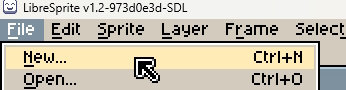
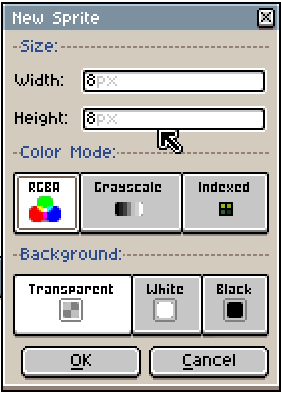
เริ่มที่การเปิดโปรแกรมขึ้นมาแล้ว เลือก File -> New จากนั้นกำหนดค่าของ Sprite ดังนี้
1. Width: 8px
2. Height: 8px
จากนั้นคลิ้กที่ปุ่ม OK จะได้พื้นที่การทำงานขึ้นมา
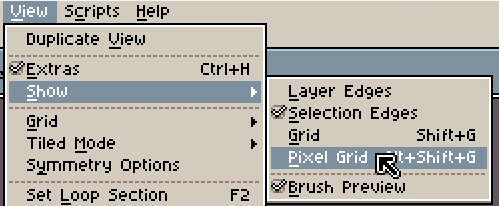
ต่อมาทำการเปิด pixel grid เพื่อให้การวาดจุดนั้นจัดการได้ง่ายขึ้น โดยไปที่ View -> Show -> Pixel Grid
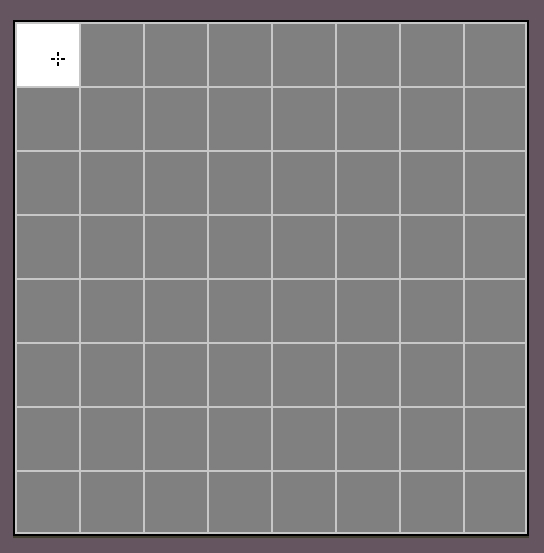
จะเห็นพื้นที่ทำงานมีเส้น grid ดังนี้ (เส้นที่แสดงจะไม่ถูกเก็บเป็นข้อมูลของภาพ ตอนทำการ Save Copy As … ซึ่ง ณ ที่นี้จะเป็นวิธีในการ Export)
ทำการวาดจุดโดยเลือก Pencil Tool (หรือจะกดปุ่ม B ที่เป็น shortcut ของเครื่องมือนี้ได้เช่นกัน)

ทำการกำหนดสีที่จะใช้สำหรับการวาดจุด โดยที่ Panel ด้านซ้ายจะมี Color Palette ที่ตัวโปรแกรมกำหนดมาเป็น default อยู่แล้ว เรียงตาม index โดยเริ่มจาก สีดำ (idx-0) และไล่เรียงจากซ้ายไปขวา บนลงล่าง

และด้านล่างของ panel นี้จะมีส่วนการกำหนดสี foreground, background ให้ทำการคลิ้ก และเลือกสีจาก palette ได้ตามที่ต้องการ โดยที่นี้ จะใช้ foreground color เป็นสีขาว (idx-21) ส่วน backgrond เป็นสีฟ้า (idx-19)

ต่อมาทำการวาดจุด โดย
– คลิ้กซ้าย เพื่อลงสี foreground
– คลิ้กขวา เพื่อลงสี background
จนได้เป็นรูปดังนี้
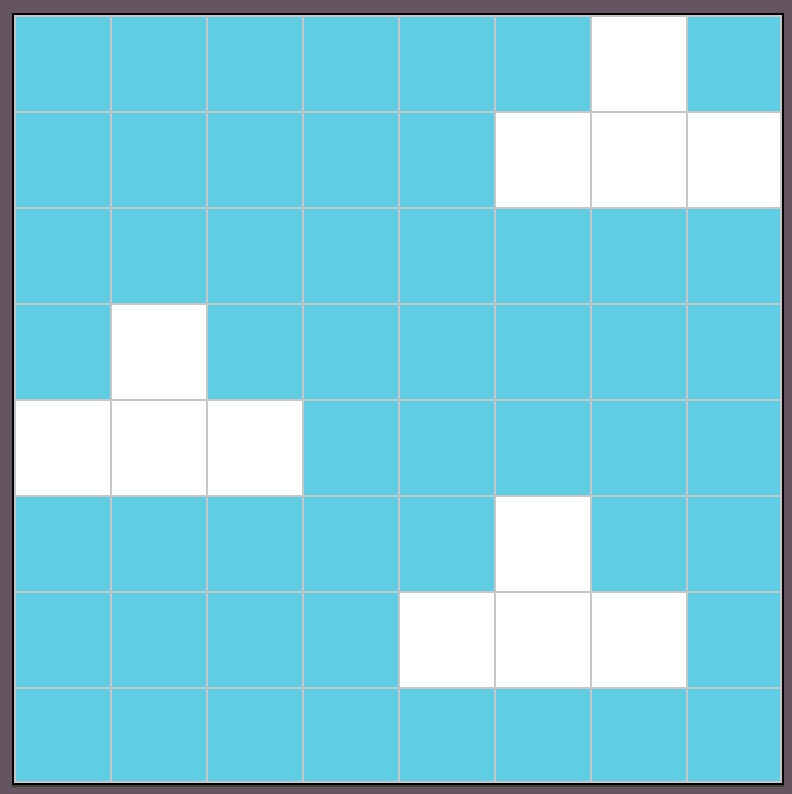
Frame Duration
โปรแกรมนี้สามารถทำให้ sprite ที่สร้างขึ้นนั้น ขยับเคลื่อนไหว (Animate) ได้ โดยใช้หลักของ Frame by Frame Animation ซึ่งจากการวาดจุดที่กล่าวมาแล้ว ทำให้ได้ภาพ sprite ใน frame ที่ 1 (โปรแกรมจะกำหนดให้ภาพแรก คือ frame ที่ 1 เป็นค่า default)
แต่มีส่วนสำคัญที่ต้องกำหนดก่อนคือ ระยะเวลาที่ภาพแสดงผลก่อนที่จะเปลี่ยนไป frame ถัดไป (Frame durartion) ซึ่งสามารถกำหนดได้โดย ไปที่ Frame -> Frame Properties…
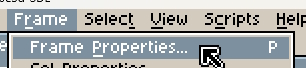
จากนั้นกำหนดค่า Duration เป็น 333ms แล้วคลิ้กปุ่ม OK
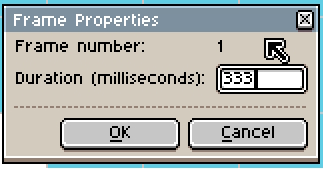
ค่าที่กำหนดนี้ มีที่มาจาก ความต้องการที่ให้ Animation นี้มีความเร็วในการแสดงผล 3 Frames per second (3 เฟรมต่อ หนึ่งวินาที) แต่ Duration มีหน่วยเป็นมิลลิวินาที ดังนั้น
duration = (1x1000)/จำนวนframeได้เป็น (1×1000)/3 = 333
ขยับขยายโยกย้ายเคลื่อนไหวกับ frame ที่สอง
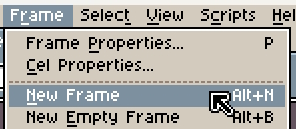
ทำการกำหนด frame ต่อมา (ซึ่งคือ frame ที่ 2) โดยไปที่ Frame -> New Frame (จะเป็นการเพิ่ม frame ถัดไปโดยคัดลอกข้อมูลจาก frame ปัจจุบัน)
ที่ panel จะแสดงหมุดข้อมูลของ frame ที่สองขึ้นมา

ในบทความนี้ จะทำ animation เป็น กลุ่มเมฆเคลื่อนที่ไปทางขวา ซึ่งมีวิธีการที่ง่ายเพื่อใช้งานในโจทย์นี้คือ Marquee Tool (คลิ้กที่ปุ่มใน panel ขวา หรือจะกดปุ่ม M ที่เป็น shortcut ของเครื่องมือนี้ได้เช่นกัน)
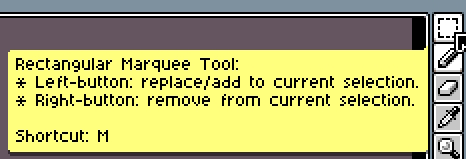
จากนั้นทำการคลิ้กซ้ายลากเม้าเพื่อเลือกพื้นที่ใน sprite โดยโจทย์นี้จะทำการเลือกทั้งหมด
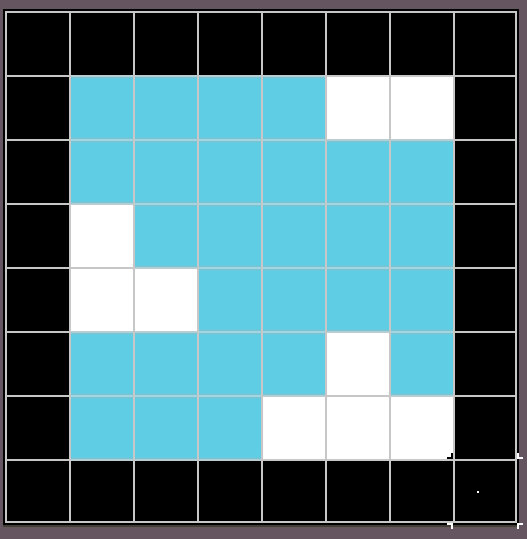
จากนั้นปล่อยปุ่มคลิ้กซ้าย ขอบที่เป็ฯสีดำใหญ่ จะเปลี่ยนเป็นเส้นประ
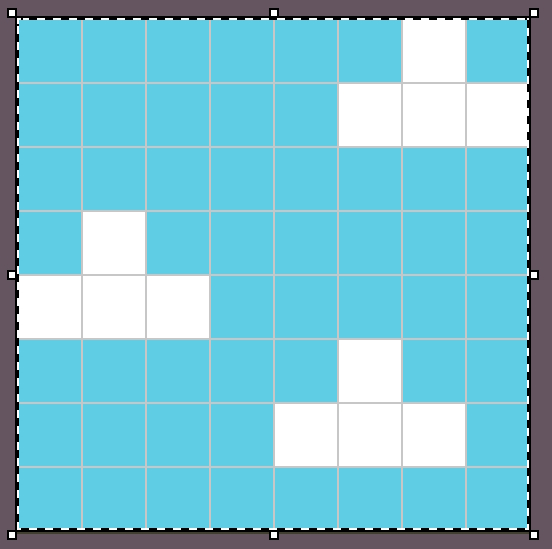
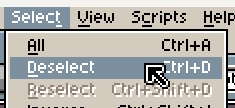
จากนั้นลากไปทางขวา 1 pixel และทำการ deselect (ไปที่ Select -> Deselect หรือจะกดปุ่ม Ctrl+D ได้เช่นกัน)
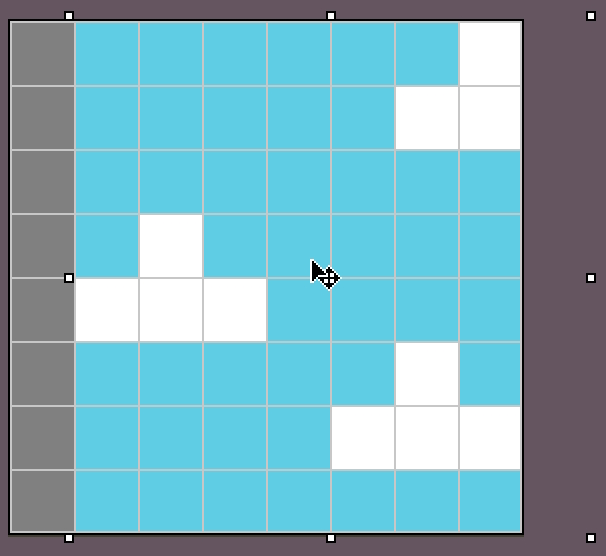
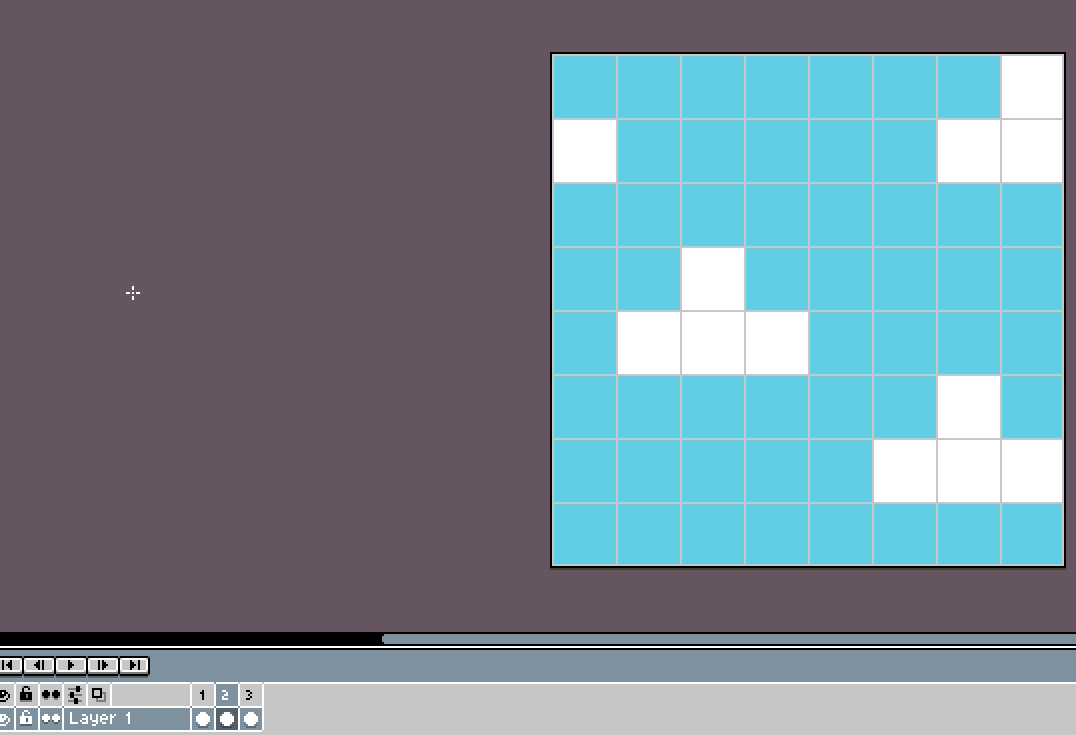
กดปุ่ม Pencil Tool และทำการปรับแต่งรูปของ frame ที่ 2 เป็นดังนี้
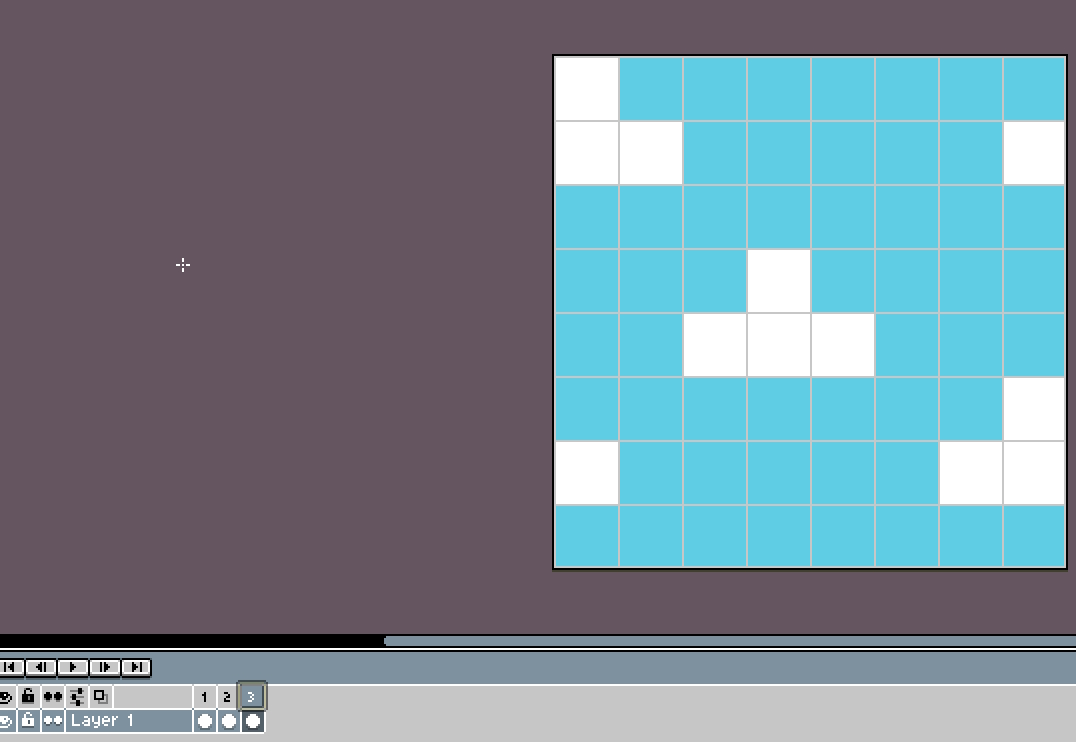
ทำต่อไป กับ frame ถัดถัดไป
สามารถทำขั้นตอนที่กล่าวด้านบนนี้ ซ้ำไปตามที่ต้องการ (เลือก New frame ที่ frame ที่สอง เพื่อปรับภาพของ frame ที่สาม, เลือก New frame ที่ frame ที่สาม เพื่อปรับภาพของ frame ที่สี่, ….)
บันทักและ Export
ให้ไปที่ File -> Save เพื่อบันทึก sprite ที่ทำการวาดจุด โดย Default ของโปรแกรมนี้ จะบันทึกเป็นไฟล์ที่มีนามสกุลเป็น .ase
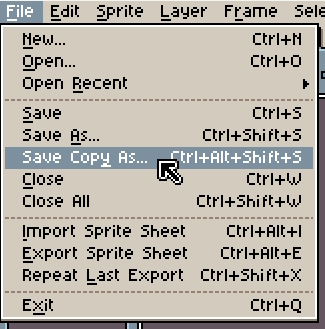
ถ้าต้องการ Export ออกมา (ในบทความนี้คือ export เป็น .gif) ให้ไปที่ File -> Save Copy As…
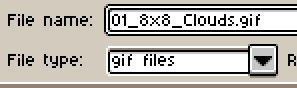
จากนั้นตั้งชื่อไฟล์ใหม่ หรือจะใช้ชื่อเดิมได้เช่นกัน และเลือก drop down ในส่วนของ File type เป็น gif files จากนั้นคลิ้กปุ่ม OK
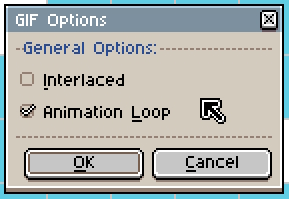
จากนั้นกำหนด Options โดยเลือก check เครื่องหมายถูกที่ Animation Loop (ทำให้ gif file ที่ export ออกมานั้นเล่น animation วนไป) จากนั้น คลิ้กปุ่ม OK
สุดท้ายนี้
Enjoy learning
Webmentions
Warning: Attempt to read property "comment_date" on null in /home/h510799/domains/newwaystodev.com/public_html/blog/wp-includes/comment-template.php on line 618
secure online health purchases
secure online health purchases
Warning: Attempt to read property "comment_date" on null in /home/h510799/domains/newwaystodev.com/public_html/blog/wp-includes/comment-template.php on line 618
vardenafil food‑related cautions
vardenafil food‑related cautions
Warning: Attempt to read property "comment_date" on null in /home/h510799/domains/newwaystodev.com/public_html/blog/wp-includes/comment-template.php on line 618
vardenafil cardiac event contraindications
vardenafil cardiac event contraindications
Warning: Attempt to read property "comment_date" on null in /home/h510799/domains/newwaystodev.com/public_html/blog/wp-includes/comment-template.php on line 618
ivermectin scabies peer‑reviewed data
ivermectin scabies peer‑reviewed data
Warning: Attempt to read property "comment_date" on null in /home/h510799/domains/newwaystodev.com/public_html/blog/wp-includes/comment-template.php on line 618
acyclovir normal dosage
acyclovir normal dosage
Warning: Attempt to read property "comment_date" on null in /home/h510799/domains/newwaystodev.com/public_html/blog/wp-includes/comment-template.php on line 618
doxycycline dose for acne bnf
doxycycline dose for acne bnf
Warning: Attempt to read property "comment_date" on null in /home/h510799/domains/newwaystodev.com/public_html/blog/wp-includes/comment-template.php on line 618
ozempic face images
ozempic face images
Warning: Attempt to read property "comment_date" on null in /home/h510799/domains/newwaystodev.com/public_html/blog/wp-includes/comment-template.php on line 618
buy propecia 1mg
buy propecia 1mg
Warning: Attempt to read property "comment_date" on null in /home/h510799/domains/newwaystodev.com/public_html/blog/wp-includes/comment-template.php on line 618
semaglutida comprimido emagrece quantos quilos
semaglutida comprimido emagrece quantos quilos
Warning: Attempt to read property "comment_date" on null in /home/h510799/domains/newwaystodev.com/public_html/blog/wp-includes/comment-template.php on line 618
sildenafil mw
sildenafil mw
Warning: Attempt to read property "comment_date" on null in /home/h510799/domains/newwaystodev.com/public_html/blog/wp-includes/comment-template.php on line 618
cytotec pills over the counter
cytotec pills over the counter
Warning: Attempt to read property "comment_date" on null in /home/h510799/domains/newwaystodev.com/public_html/blog/wp-includes/comment-template.php on line 618
metoprolol 50 mg
metoprolol 50 mg
Warning: Attempt to read property "comment_date" on null in /home/h510799/domains/newwaystodev.com/public_html/blog/wp-includes/comment-template.php on line 618
is zoloft sertraline
is zoloft sertraline
Warning: Attempt to read property "comment_date" on null in /home/h510799/domains/newwaystodev.com/public_html/blog/wp-includes/comment-template.php on line 618
ciprol
ciprol
Warning: Attempt to read property "comment_date" on null in /home/h510799/domains/newwaystodev.com/public_html/blog/wp-includes/comment-template.php on line 618
vardenafil 20mg
vardenafil 20mg
Warning: Attempt to read property "comment_date" on null in /home/h510799/domains/newwaystodev.com/public_html/blog/wp-includes/comment-template.php on line 618
metoclopramide hcl
metoclopramide hcl
Warning: Attempt to read property "comment_date" on null in /home/h510799/domains/newwaystodev.com/public_html/blog/wp-includes/comment-template.php on line 618
metoprolol beta blocker
metoprolol beta blocker